
Configuration Guide
Customize Eventix settings for your specific needs
Complete System Configuration
Configure all Eventix platform settings to customize functionality and appearance.
Configuration Methods
Eventix can be configured through multiple methods. Changes can be made via:
- .env file - Environment variables for sensitive data
- Admin Dashboard - Web interface for general settings
General Settings
Basic application and site configuration
Site Information
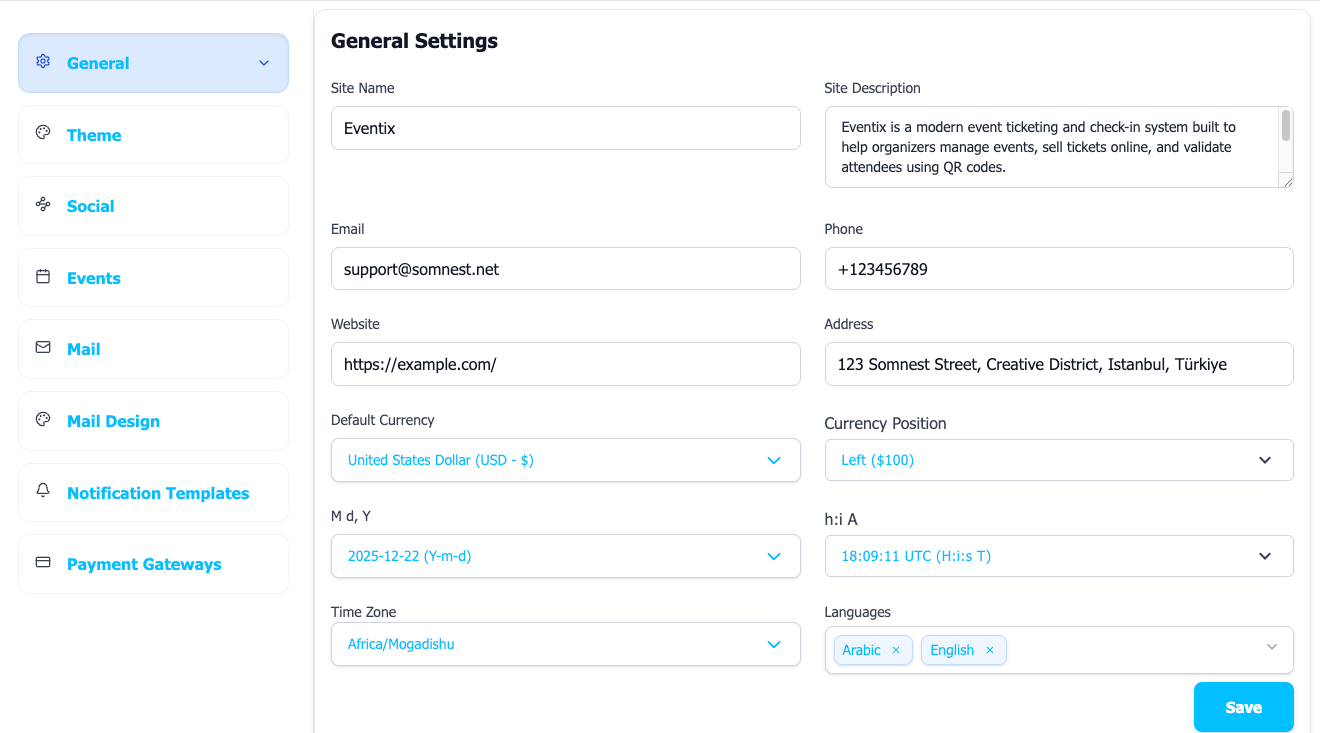
Configure the basic details of your Eventix platform: Site Name, Description, Contact Email, Phone Number, Default Currency, Date Format, Time Format, Timezone and Languages.
Theme & Brand Settings
Customize the look and feel of your platform
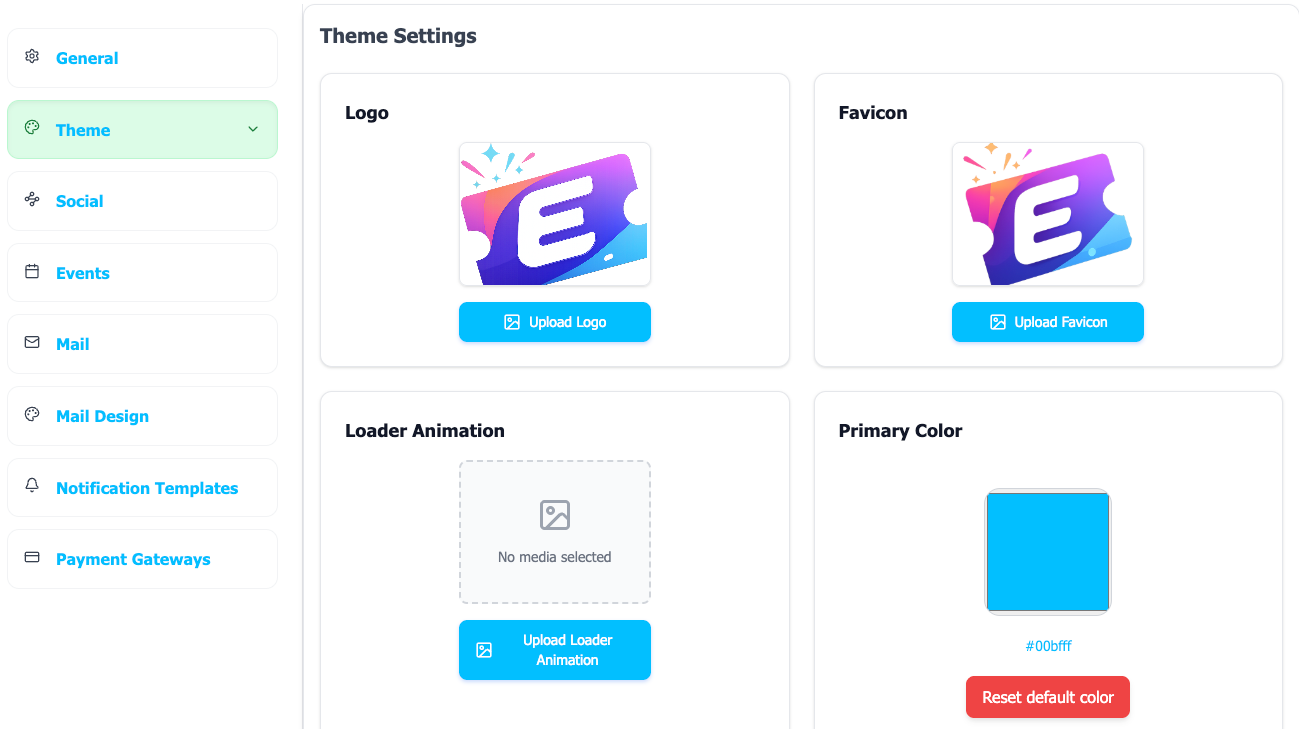
Tip: Use high-quality logos and maintain consistent branding across all uploaded assets. Primary Color: Only works backend color
Events Settings
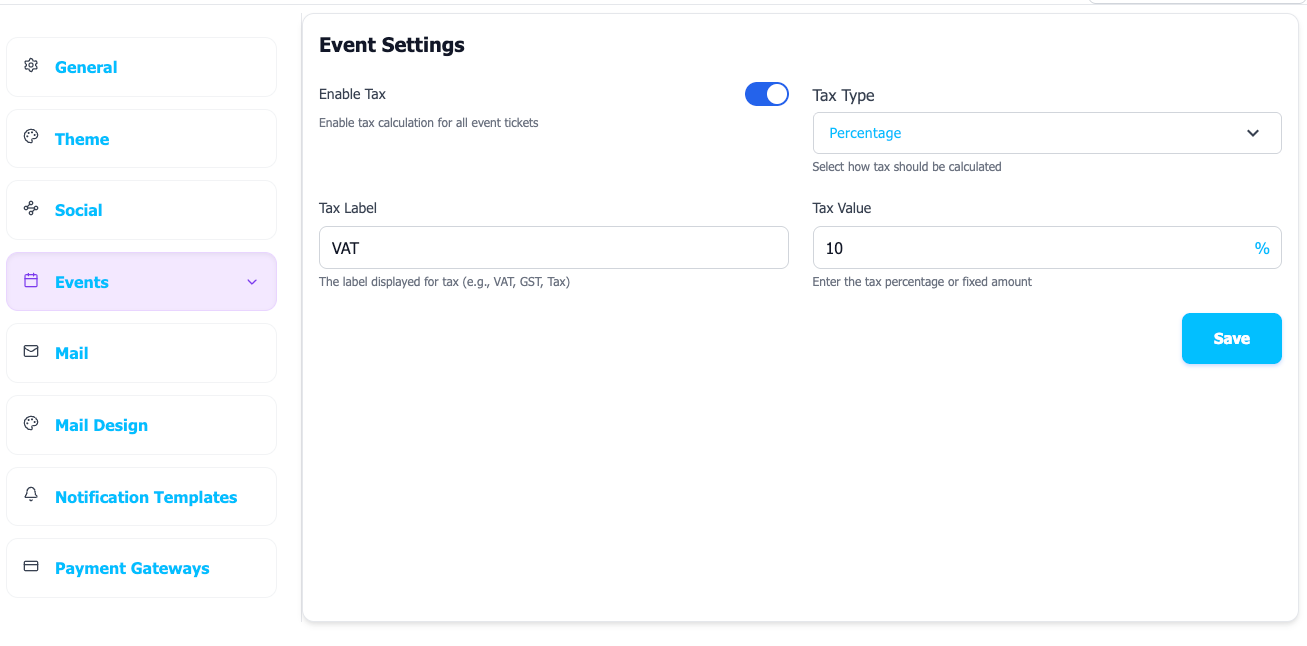
Configure event-related options and tax calculations
Event Configuration
Tax Calculation Settings
Configure tax rates and calculation methods for event tickets:
- Tax Percentage: Set default tax rate
- Tax Type: Choose tax calculation method
Mail Configuration
Email server settings and notification templates
SMTP Configuration
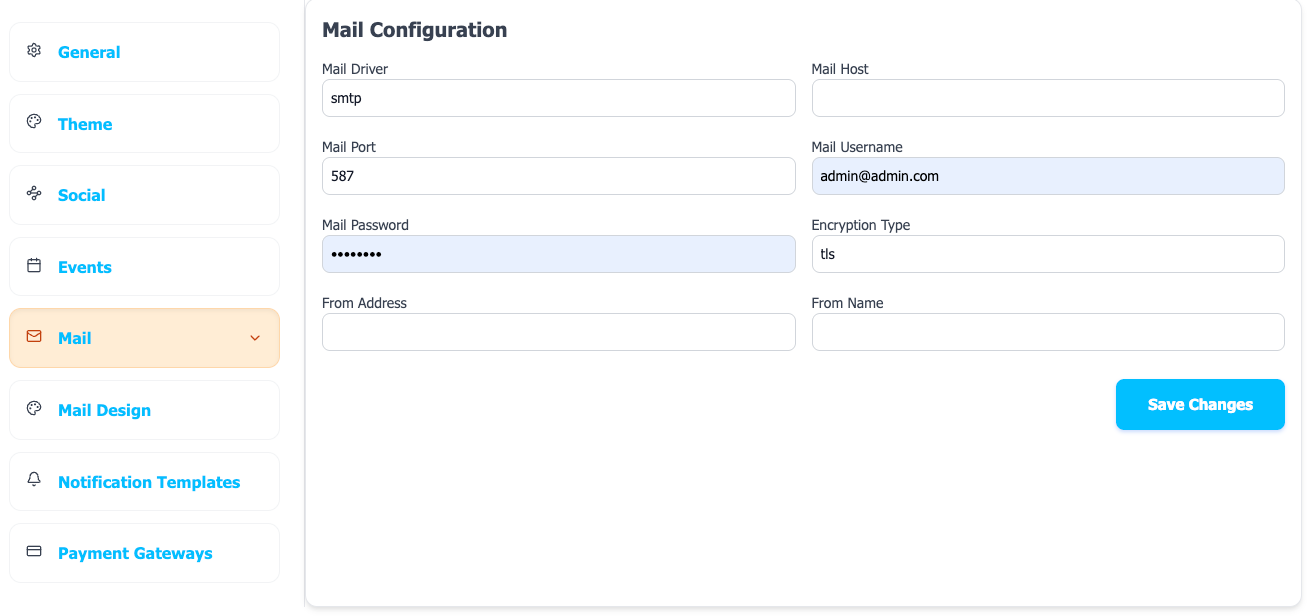
Configure your mail server for sending emails to users for various purposes like password reset, notifications, etc.
For Mail Host Gmail, you need to use an "App Password" if 2-factor authentication is enabled.
Notification Templates
Customize email templates for different notification types. You can edit templates via the notification template editor.
Mail Channel Template
- Select user type (Admin/Organizer/User)
- Choose notification type
- Edit subject and content
- Available parameters: {name}, {email}, {event_name}, etc.
Mail Design
- Select from 2 template designs
- Modern vs Classic styles
- Template Settings
- Copyright Text
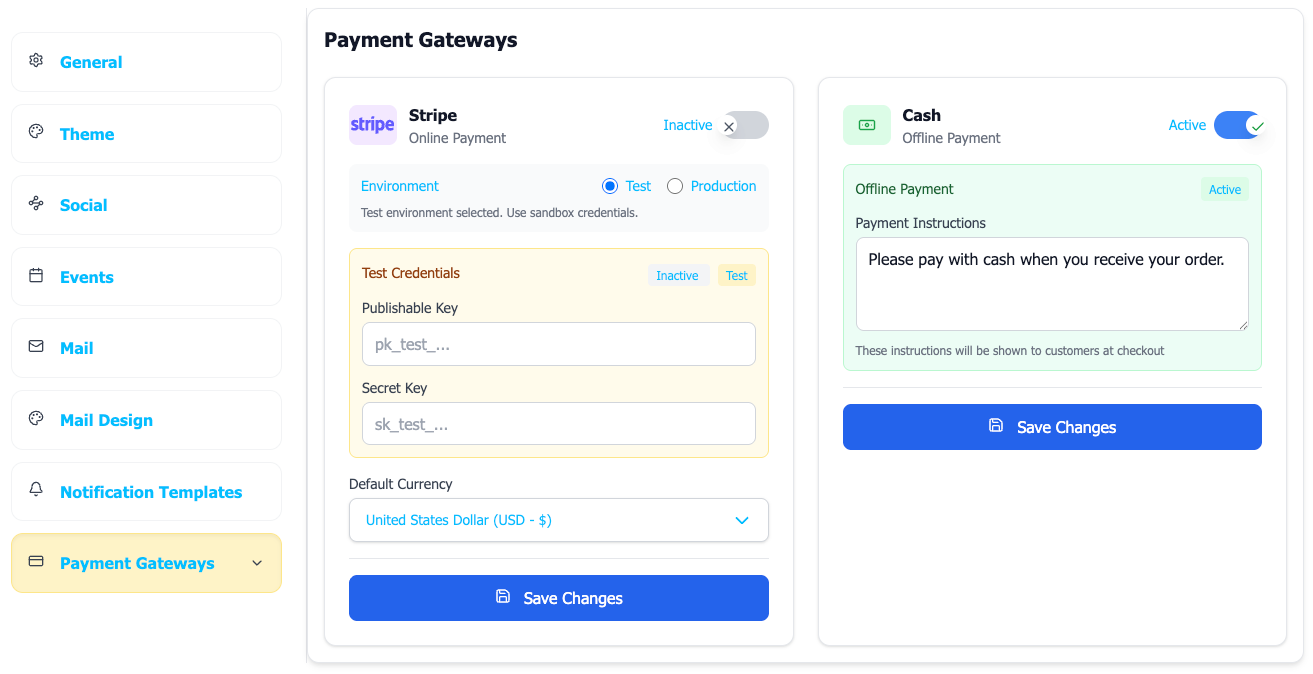
Payment Configuration
Payment gateway settings and currency options– You can enable and configure Payment Methods from here.
Configuration Complete!
Your Eventix platform is now fully configured and ready to use. Check all functionality including payments, emails, and social features before going live.
Social Media Configuration
Connect your social media profiles
Social Media Links
Configure social media profiles that will be displayed on your platform: