
Installation Guide
Complete step-by-step installation instructions
Professional Installation
Follow this comprehensive guide for a successful Eventix installation on any server environment.
Before You Begin
Make sure you have completed the System Requirements prerequisites and have your server credentials ready.
Step-by-Step Installation
Go to: https://yourdomain.com/install to start the installation process.
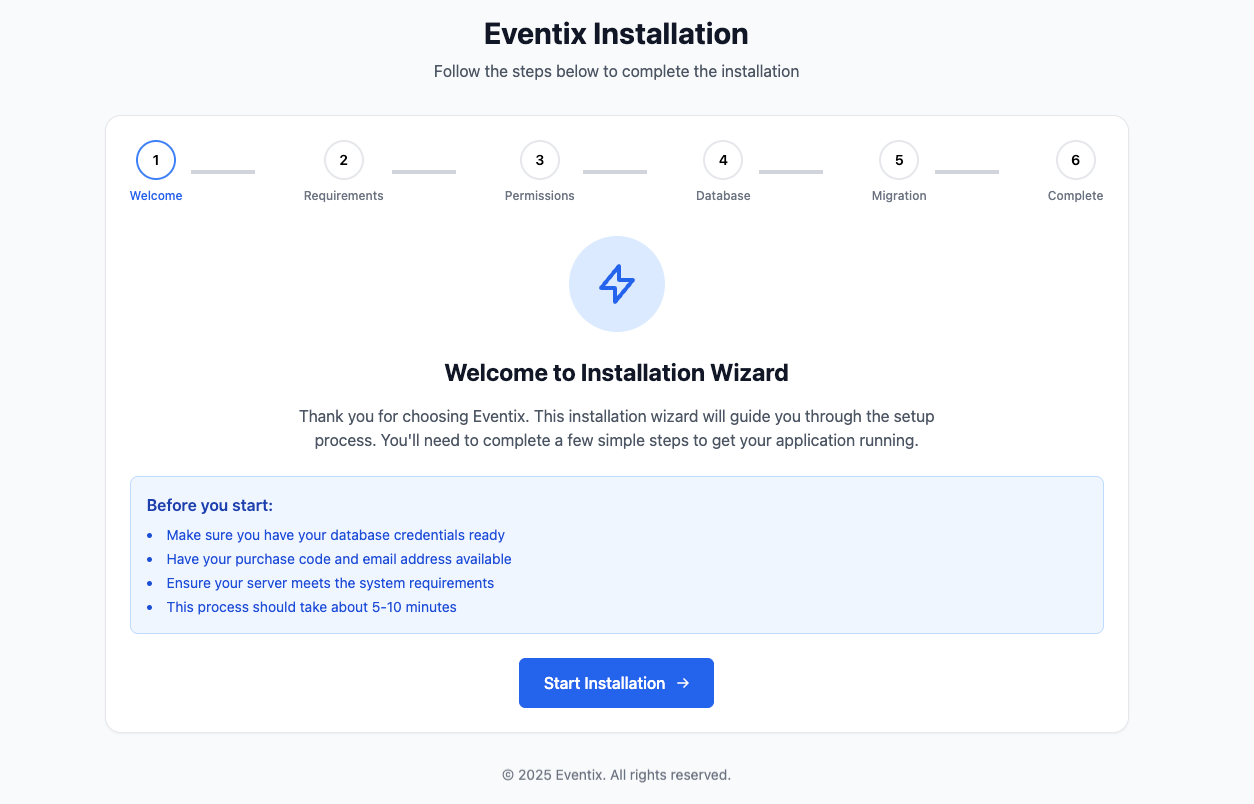
Welcome Screen
Eventix installation welcome screen. Click the "Start Installation" button to proceed to the Requirements check.
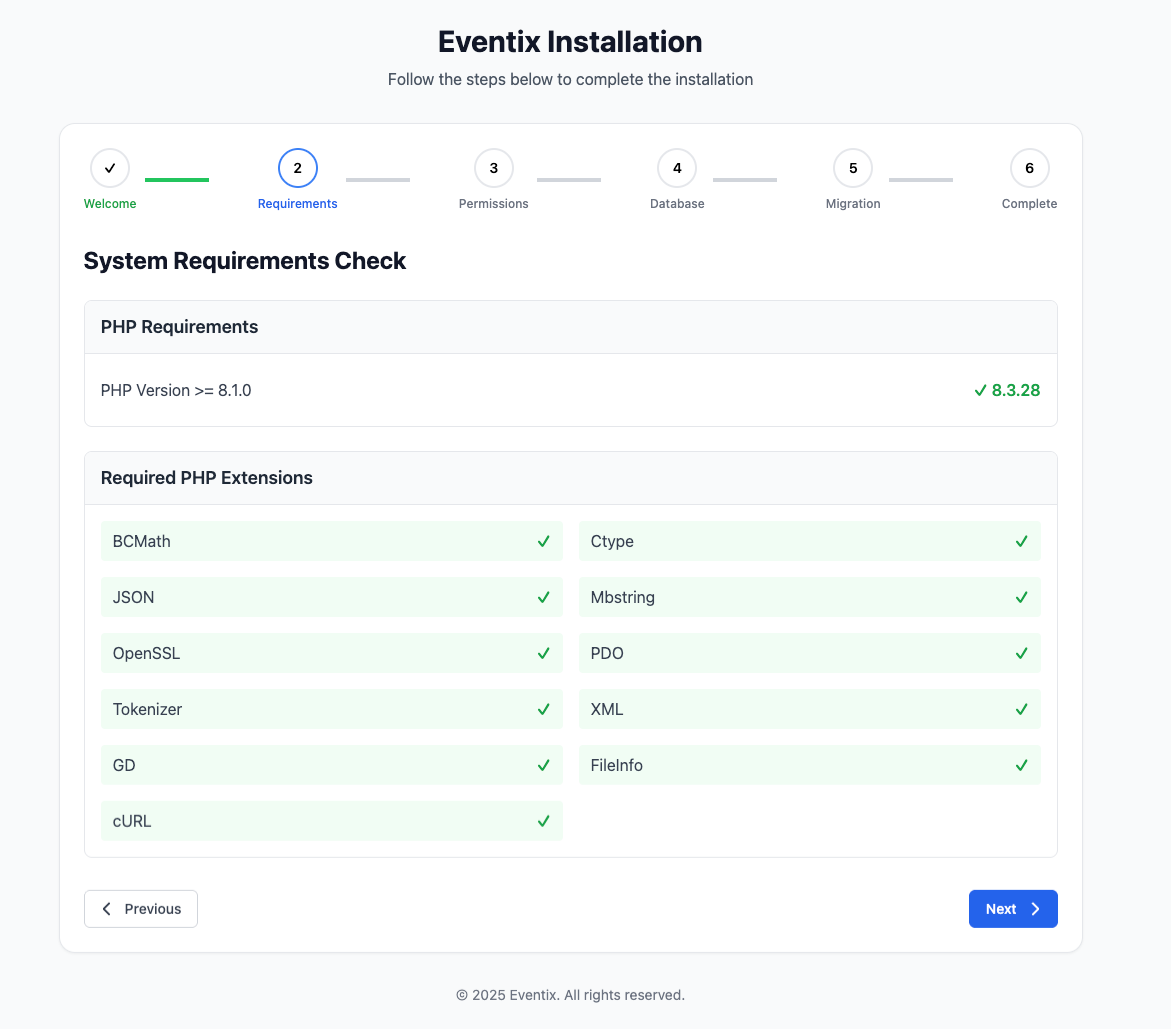
Requirements Check
server requirements. If your server meets all the requirements, the "Next" button will be enabled to continue.
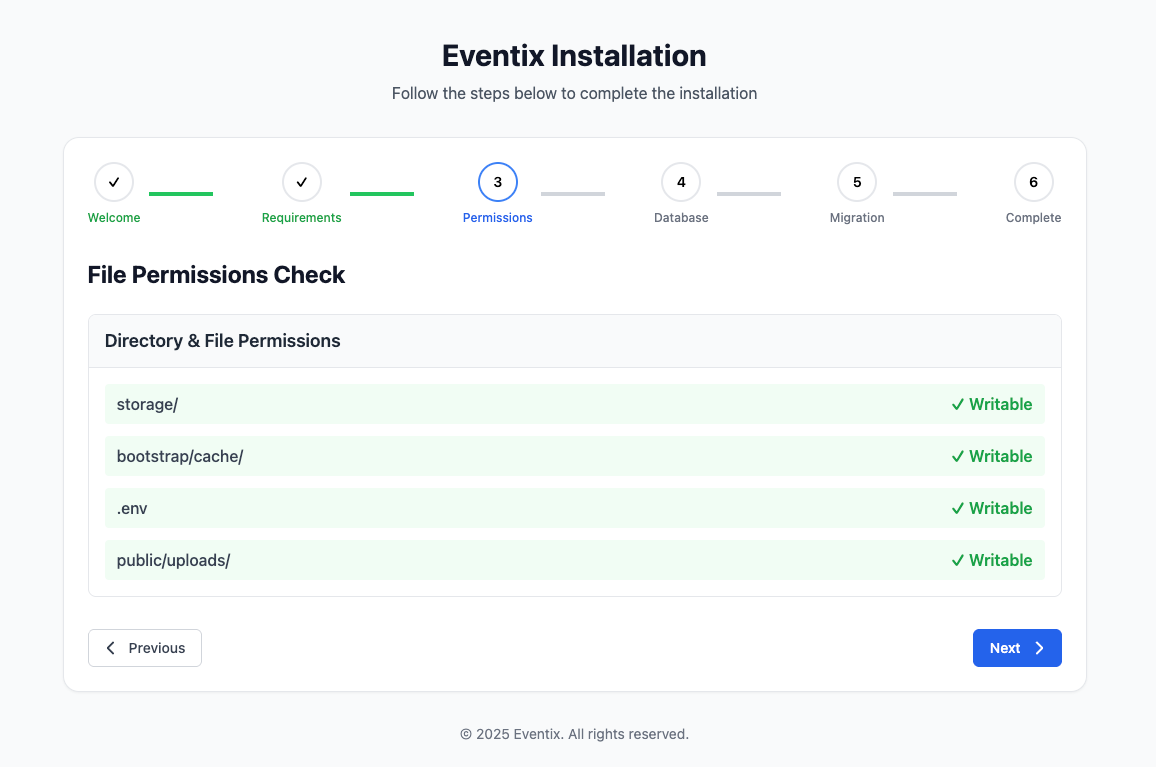
Permissions Check
Verify file and directory permissions. Make sure all the necessary permissions are granted for the installation to proceed.
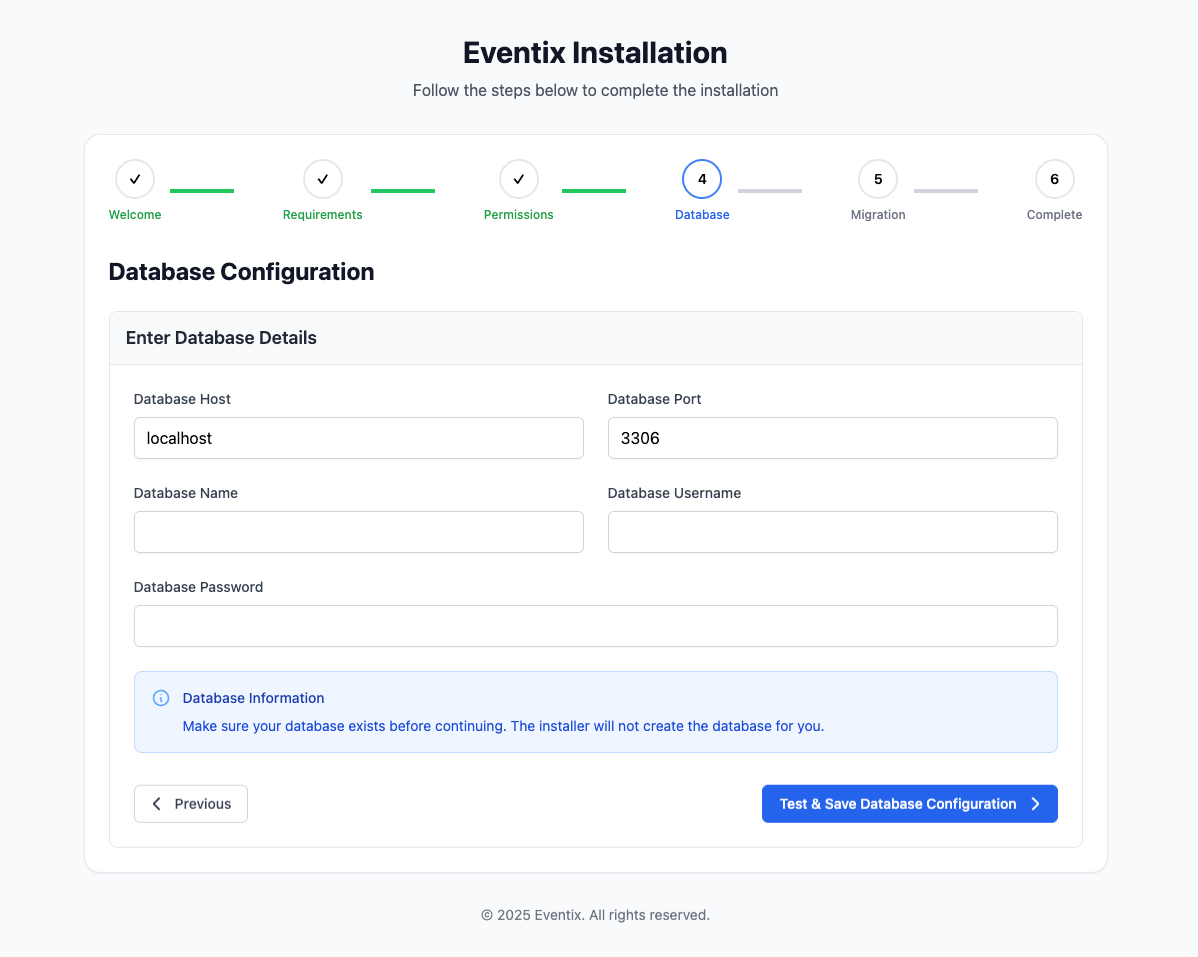
Database Configuration
fill in your database details including hostname, username, password, and database name. Click "Next" to proceed to migration.
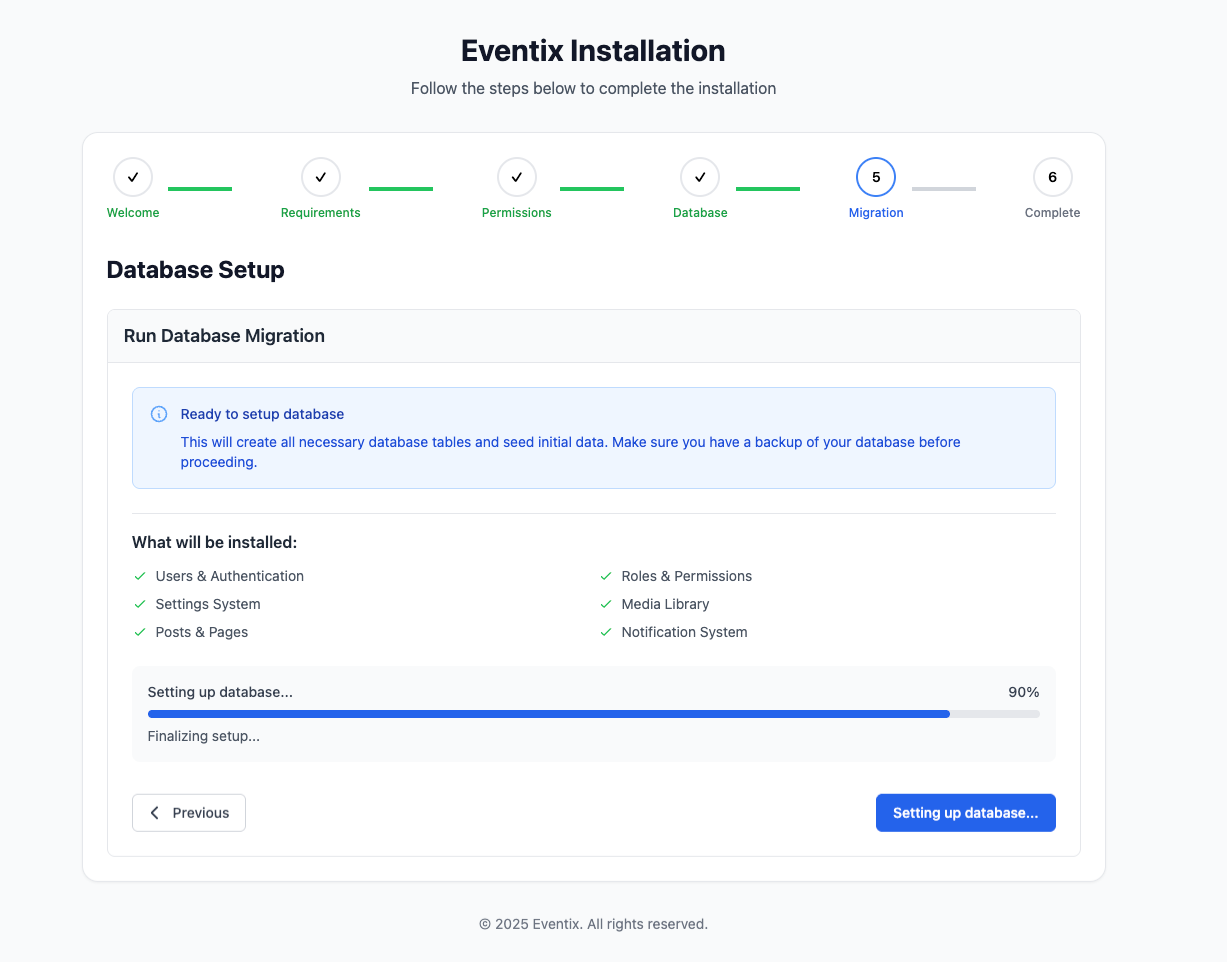
Database Migration
The migration process. All necessary tables and data will be imported into your database automatically.
Installation Complete
After the migration finishes, you will see the Installation Completed screen.
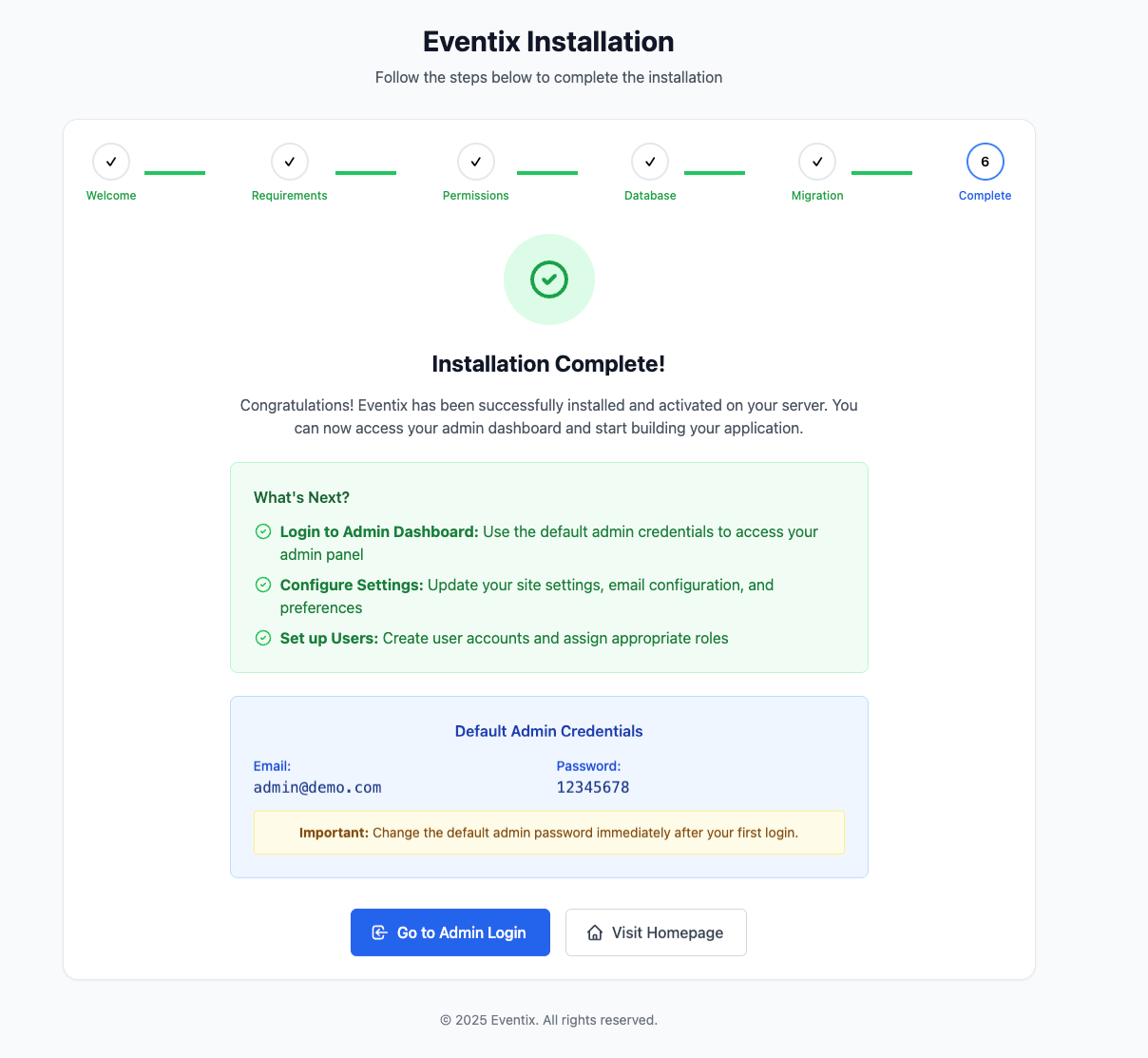
Installation Complete!
Your Eventix installation should now be complete. You can access your site at the URL you configured.