
Basic Server Setup
CPanel configuration and file upload guide
Server
Server Configuration Guide
Step-by-step instructions for CPanel database env setup and file upload
CPanel Database Configuration
For creating the database, the following steps must be maintained:
Step 1: Go to MySQL Databases
Navigation Path
Login to your CPanel account
Find "Databases" section
Click on "MySQL Databases"
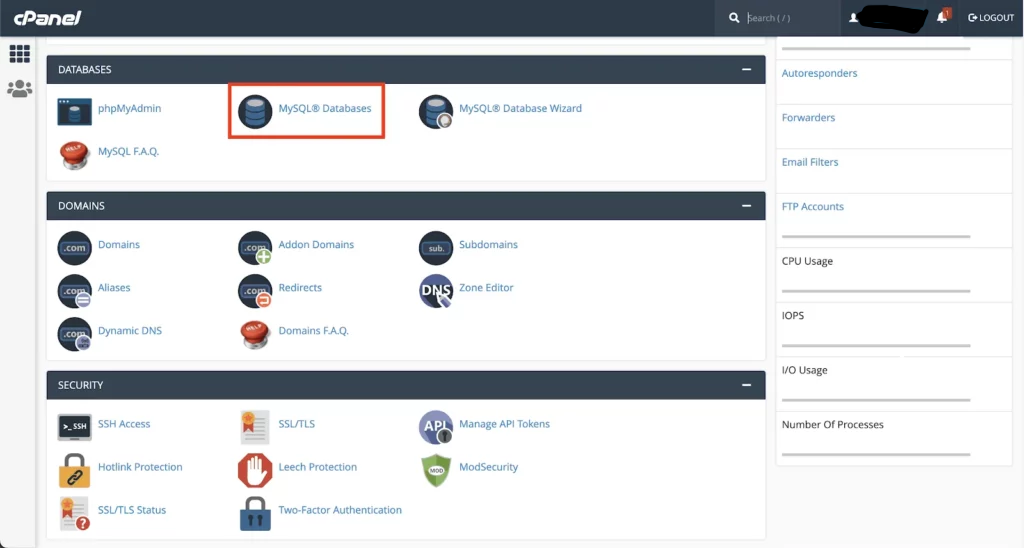
Step 2: Create a New Database
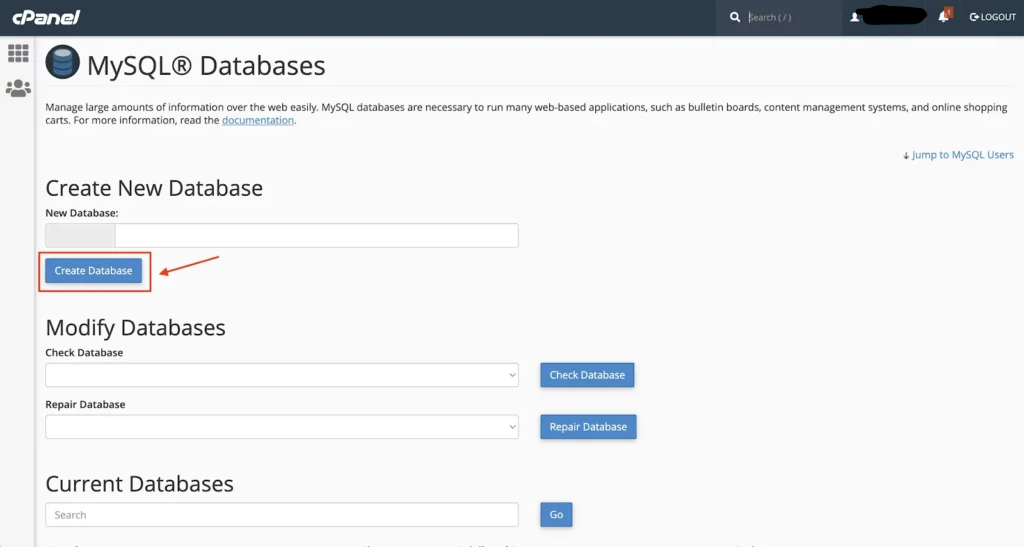
Step 3: Create Database User
User Creation Steps
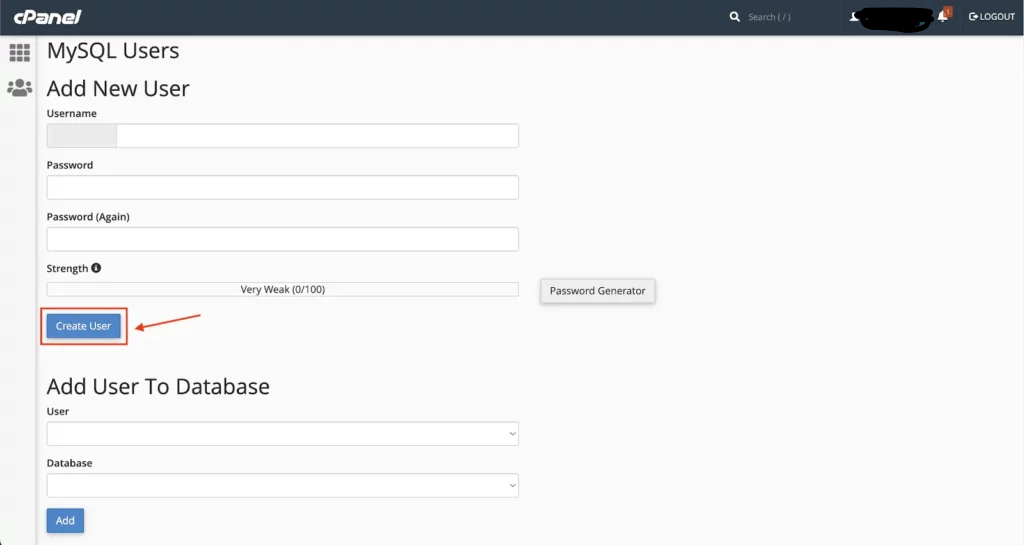
Security Tip
Use the password generator to create a strong, random password.
Step 4: Add User to Database
User Assignment
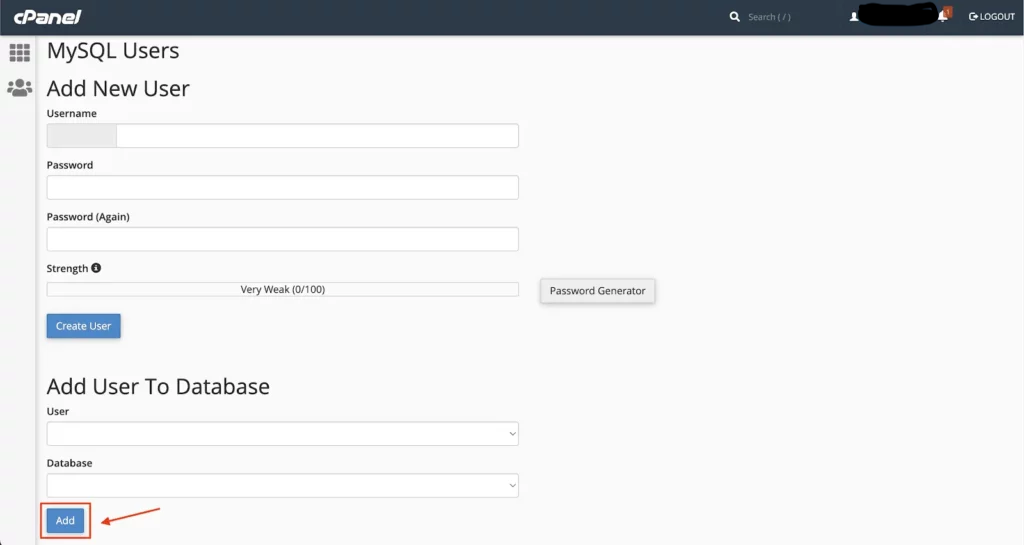
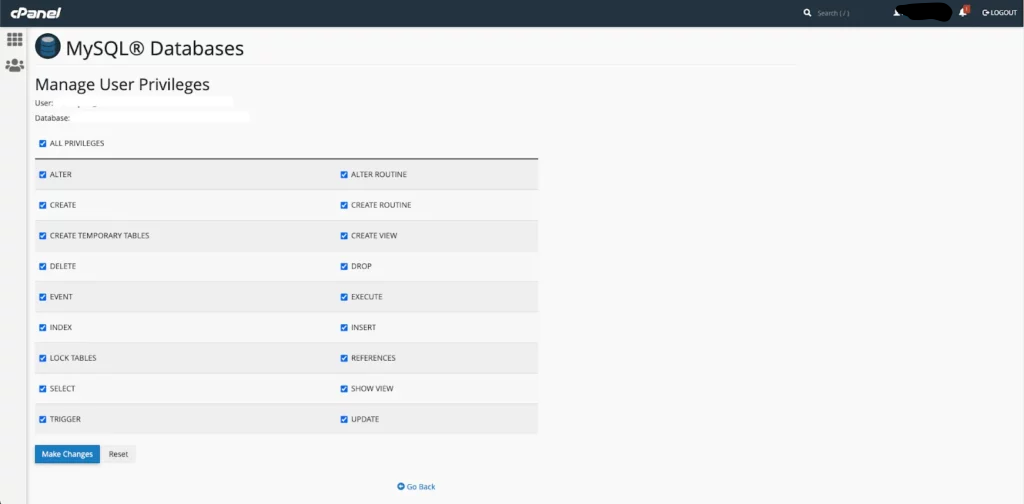
Step 5: Grant Privileges
Privilege Assignment
Database Setup Complete
Your database is now ready for Eventix installation. Note down these three pieces of information:
- Database name (with prefix)
- Database username (with prefix)
- Database password
File Upload & Extraction
Download Package
Download the Eventix package from your purchase. You'll receive a ZIP file containing all necessary files.
Upload Eventix file to your web server then Extract Files. You can use FTP, SFTP, or your hosting control panel's file manager.
Upload Methods:
- FTP/SFTP client (FileZilla, Cyberduck)
- Hosting control panel file manager
- Git clone (if using version control)
Extraction Instructions
- Upload the ZIP file to your public directory (usually
public_html) - In CPanel File Manager, right-click the ZIP file
- Select "Extract"
- Choose extraction location (root or subdirectory)
- Wait for extraction to complete
- Delete the original ZIP file to save space
Directory Structure
After extraction, you should see these main folders: app/, bootstrap/, config/, database/, public/, storage/, etc. Ensure the public/ folder contains an index.php file.
Environment Configuration
.env File Setup
- Locate
.env.examplefile in the root directory - Make a copy and rename it to
.env - Edit the
.envfile with your configuration - Update
APP_URL=https://yourdomain.com - Save the file
- Set .env permissions to 640
- Never make .env publicly accessible
APP_NAME="Eventix"
APP_ENV=production
APP_KEY=
APP_DEBUG=false
APP_URL=https://yourdomain.com

DB_CONNECTION=mysql
DB_HOST=localhost
DB_PORT=3306
DB_DATABASE=your_db_name
DB_USERNAME=your_db_user
DB_PASSWORD=your_db_password

BROADCAST_DRIVER=log
CACHE_DRIVER=file
QUEUE_CONNECTION=sync
SESSION_DRIVER=file
SESSION_LIFETIME=120

MAIL_MAILER=smtp
MAIL_HOST=smtp.gmail.com
MAIL_PORT=587
MAIL_USERNAME=your-username
MAIL_PASSWORD=your-password
MAIL_ENCRYPTION=tls
MAIL_FROM_ADDRESS=your-email
MAIL_FROM_NAME="${APP_NAME}"